 Serpin
See your whole squad live on one screen.
Athletes stream live power, heart rate and GPS from their own sensors. Coaches watch every rider on one map — and send a nudge the moment someone drops or redlines.
Free public beta on TestFlight — needs iOS 16 or later. Android is on the way.
Built for cycling teams, run squads, tri groups & training camps.
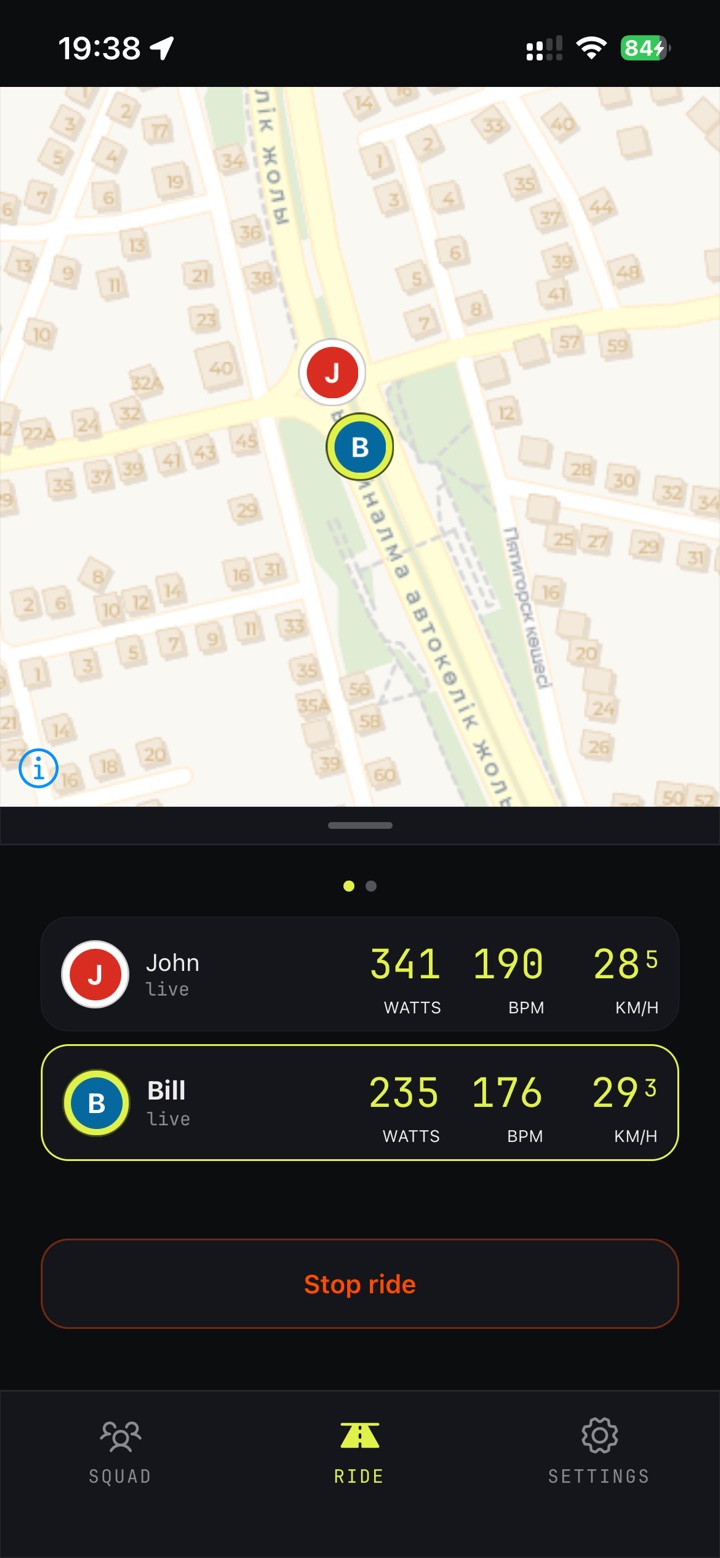
From strap to team car
Every screen below is the real app. Follow one ride from pairing a sensor to the coach watching the whole squad live.
Bring the sensors you already own
Serpin works with any standard Bluetooth heart-rate strap, power meter or speed/cadence sensor — Polar, Garmin, Wahoo, Suunto, Coospo and more. Each rider's phone reads their own sensors, so pairing takes seconds and happens once.
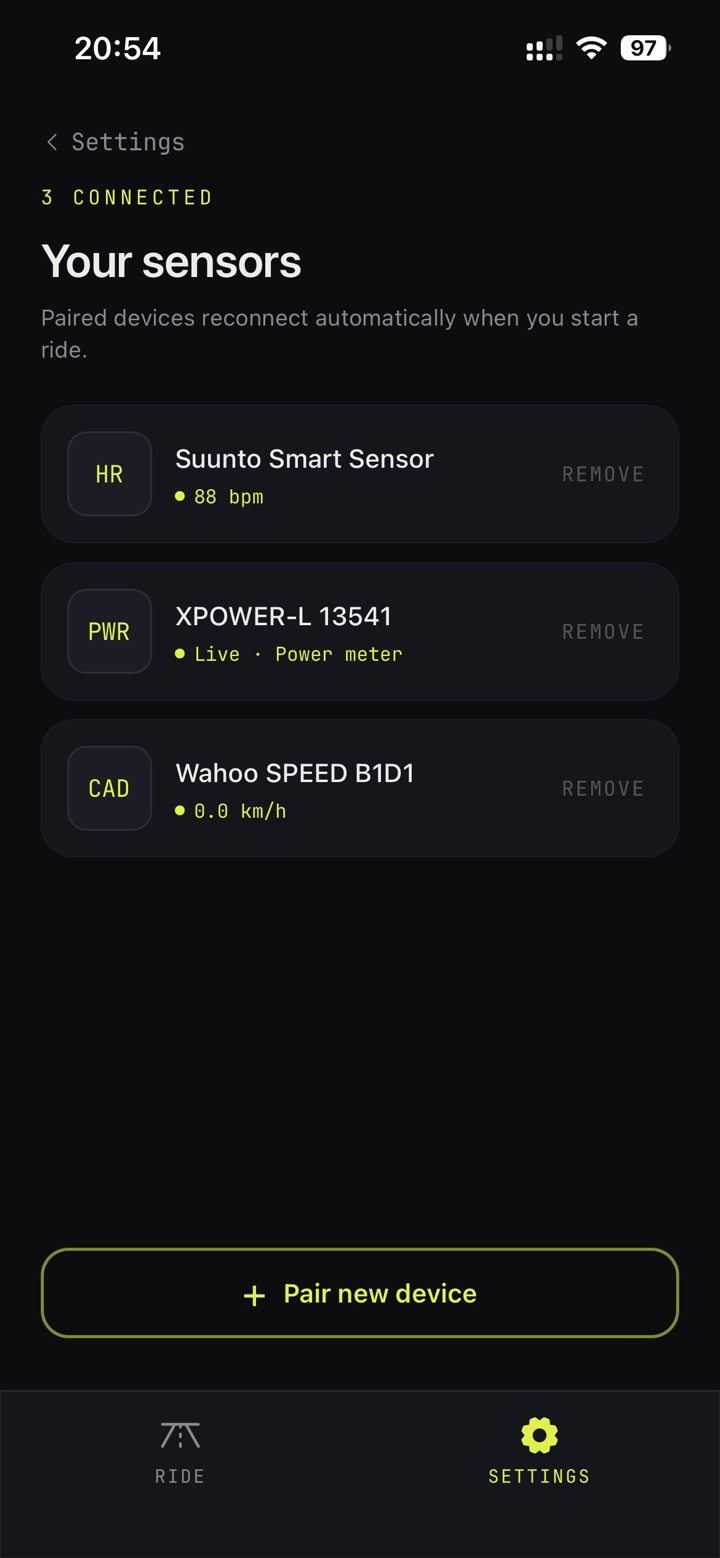
Your sensors
Paired devices with their live readings. They reconnect by themselves when a ride starts, and the pairings are saved to your account — a new phone has them too.
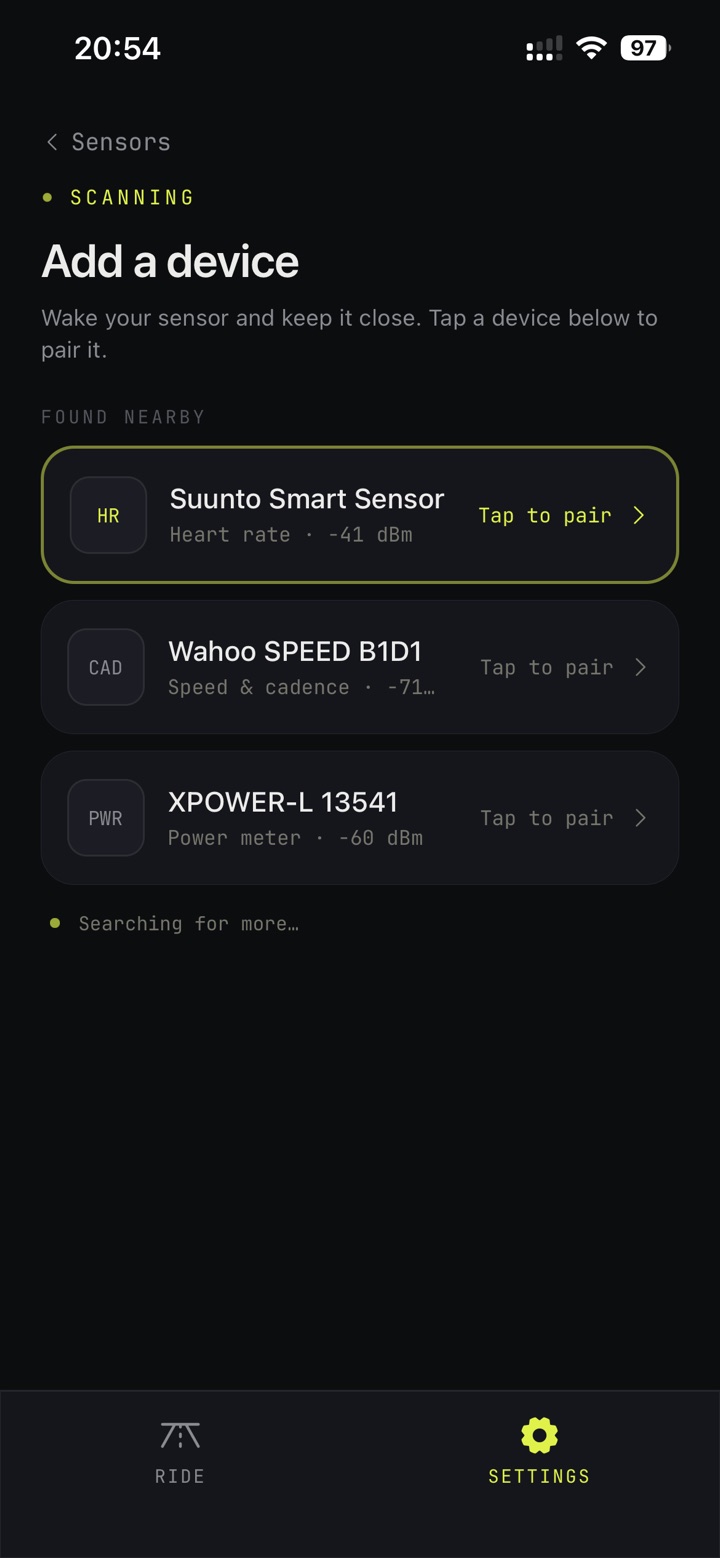
Pair a new device
Wake the sensor, keep it close and tap to pair. Serpin shows what each device measures and how strong its signal is.
The coach's view
The whole squad on a live map, with each rider's watts, heart rate and speed underneath. Tap a rider to follow them from the team car.
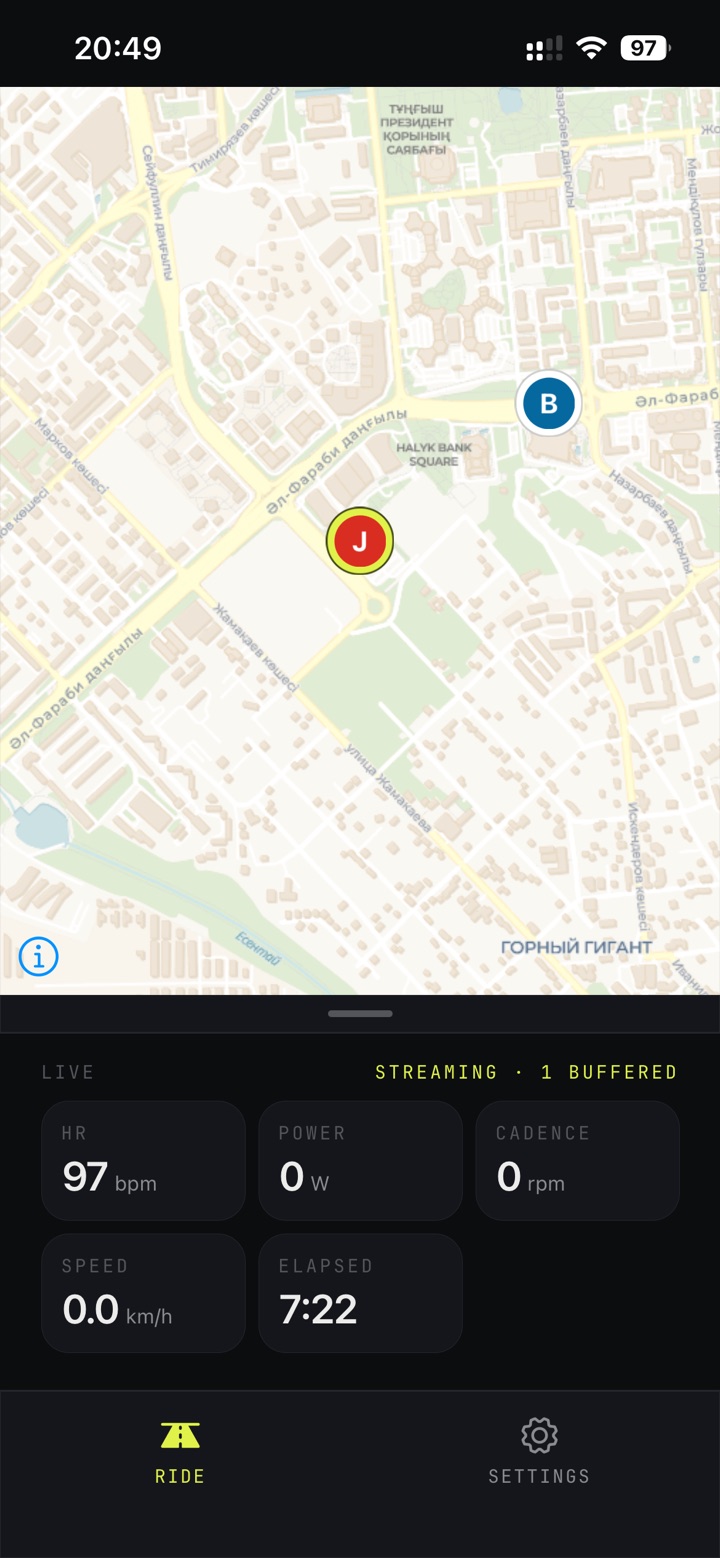
Check on your teammates
Athletes see where the rest of the squad is, alongside their own heart rate, power, cadence and speed — streaming live, buffered whenever the signal drops.
Your squad, checked in and ready
Coaches keep a roster for each squad and tick off who turned up before the start. Athletes join their coach from the app — no spreadsheets, no group chat roll call.
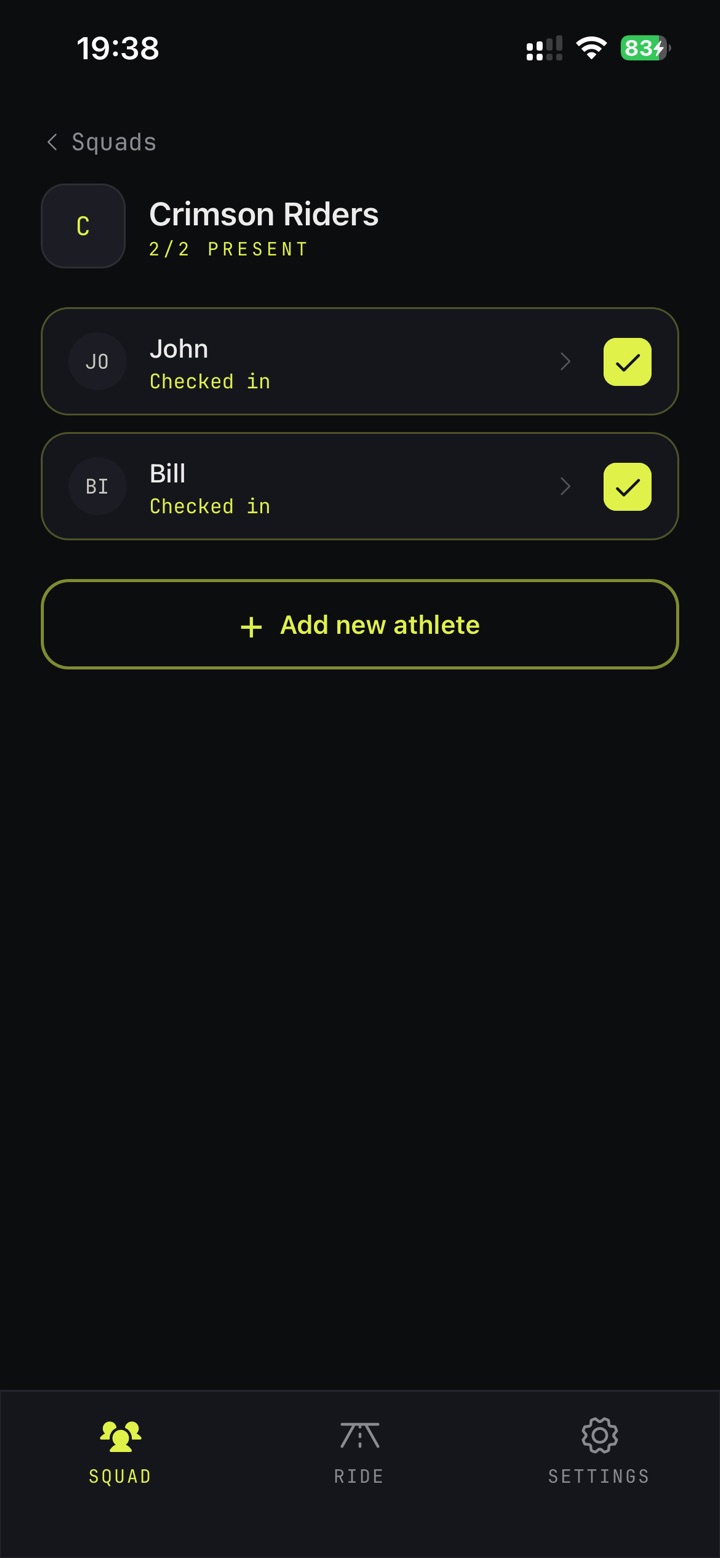
Squad roster
Tick who is riding today — only checked-in athletes join the ride. New members are one tap away.
Numbers that make the watts mean something
FTP, max heart rate and weight turn raw power into %FTP, zones and W/kg. Your coach sees them too — and can update them for you.
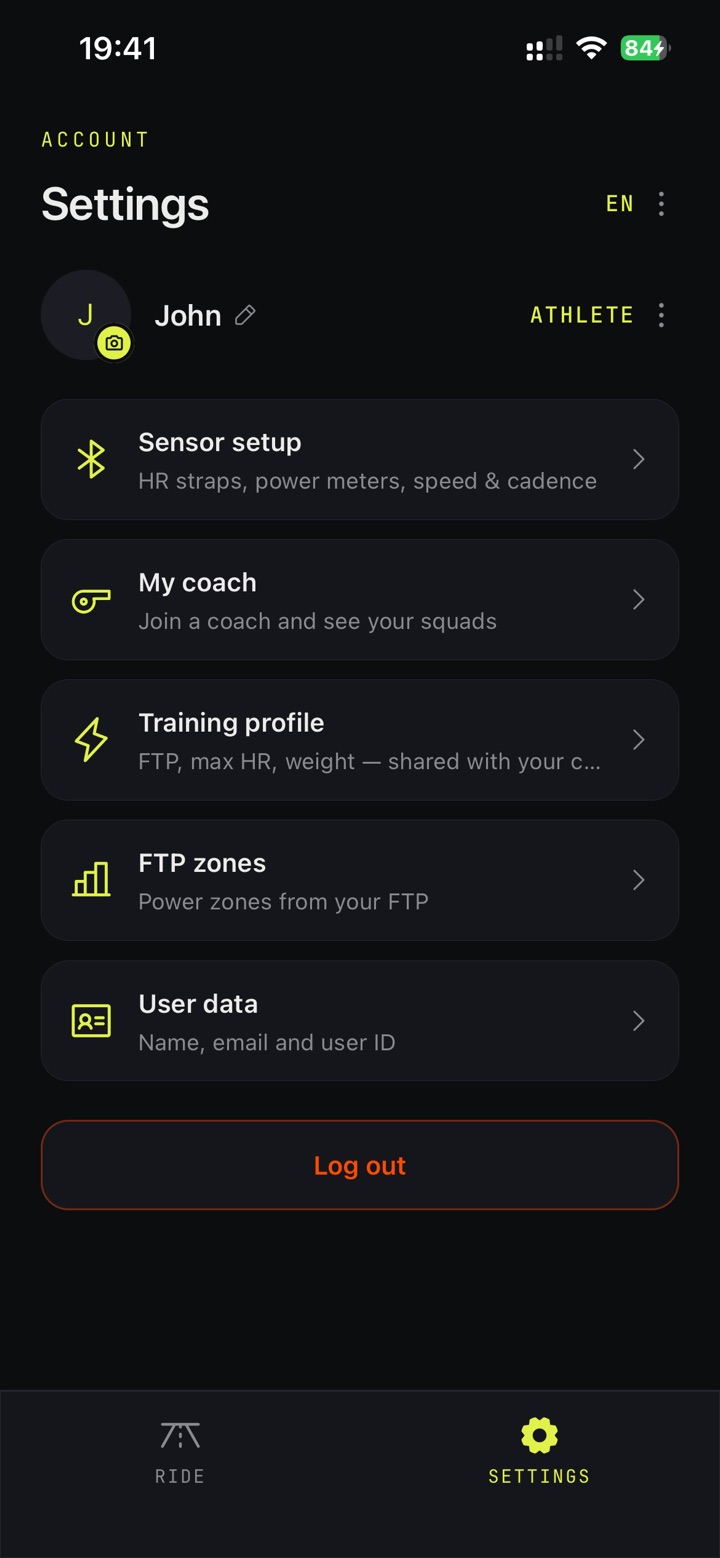
Settings
Sensors, your coach, training profile and power zones — all in one place.
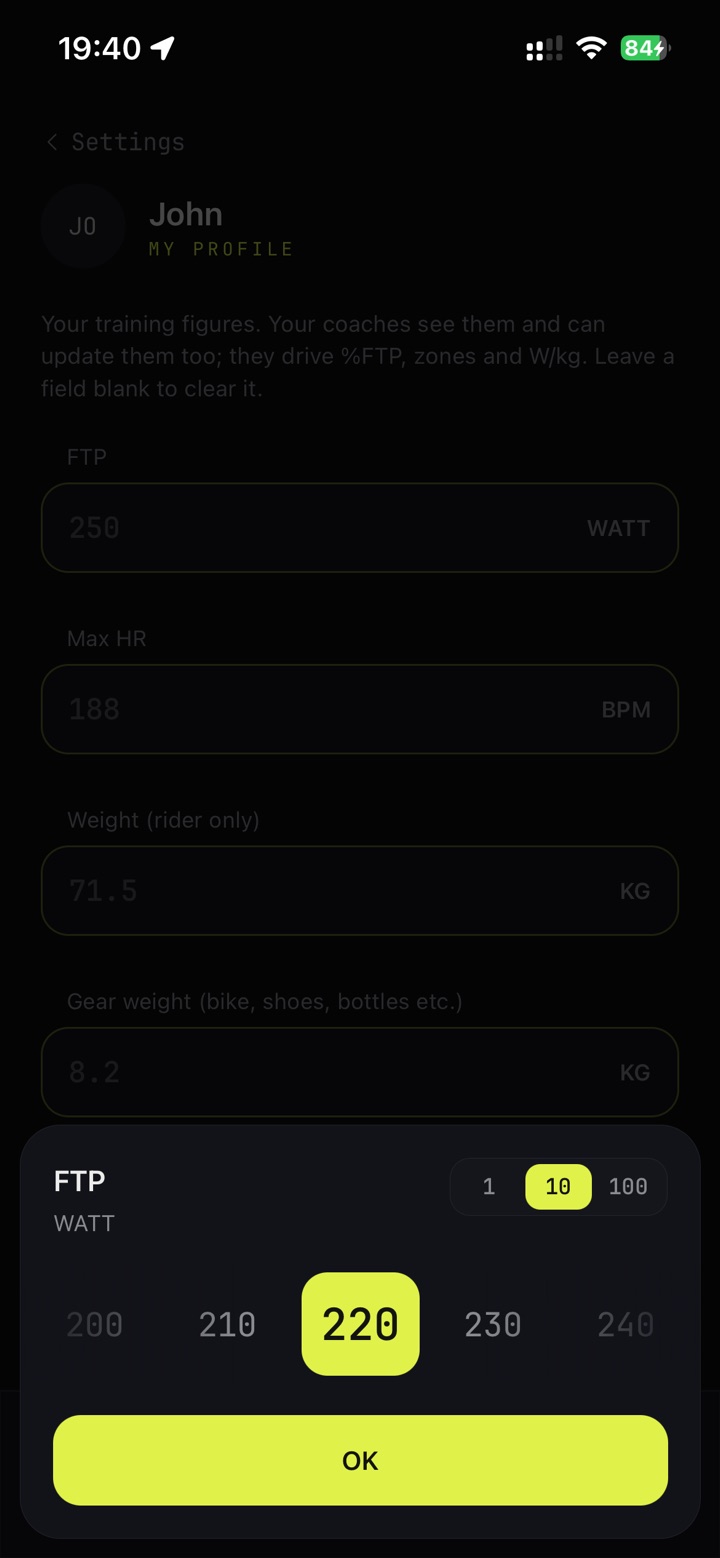
Set your FTP
A quick picker that steps by 1, 10 or 100 watts — no fiddly keyboard at the roadside.
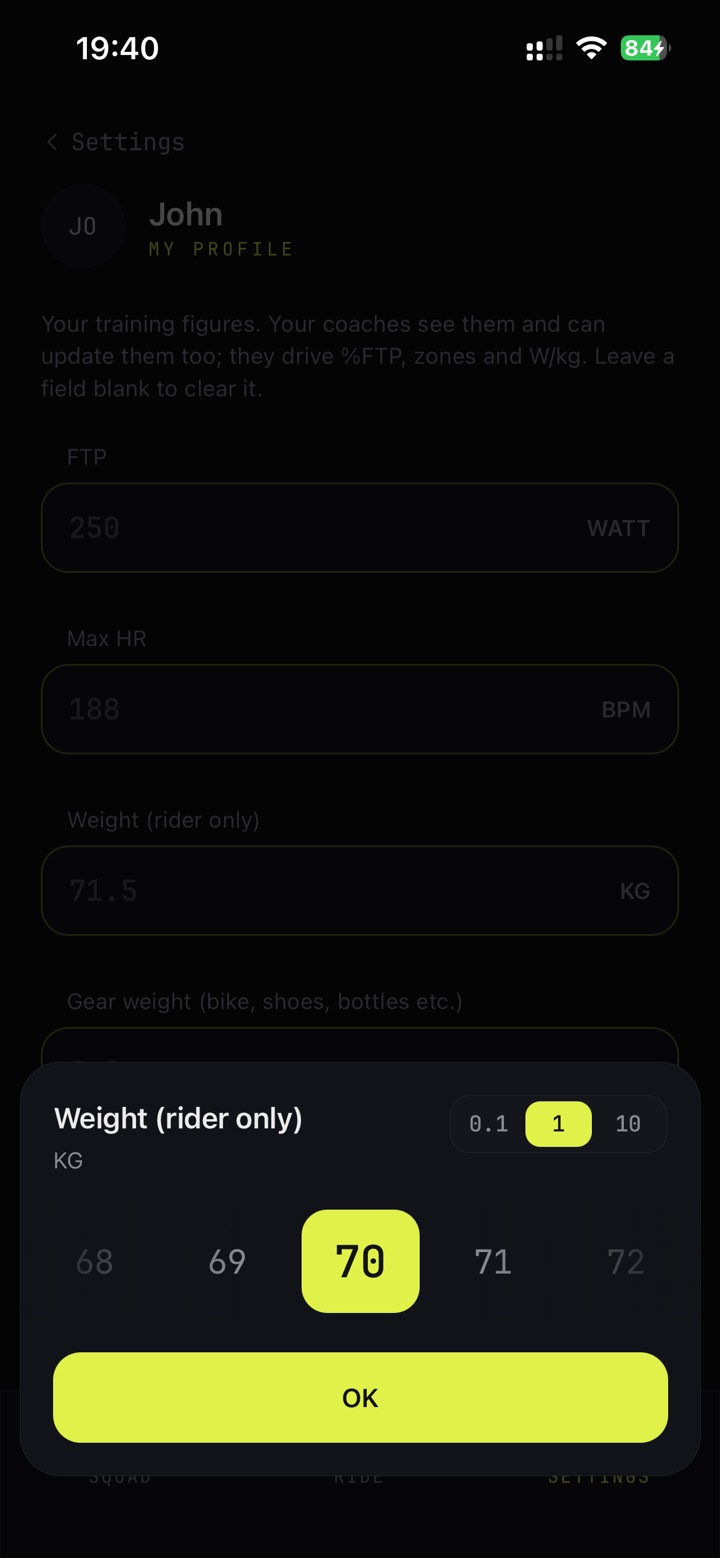
Set rider weight
Rider and gear weight are kept apart, so your W/kg stays honest.
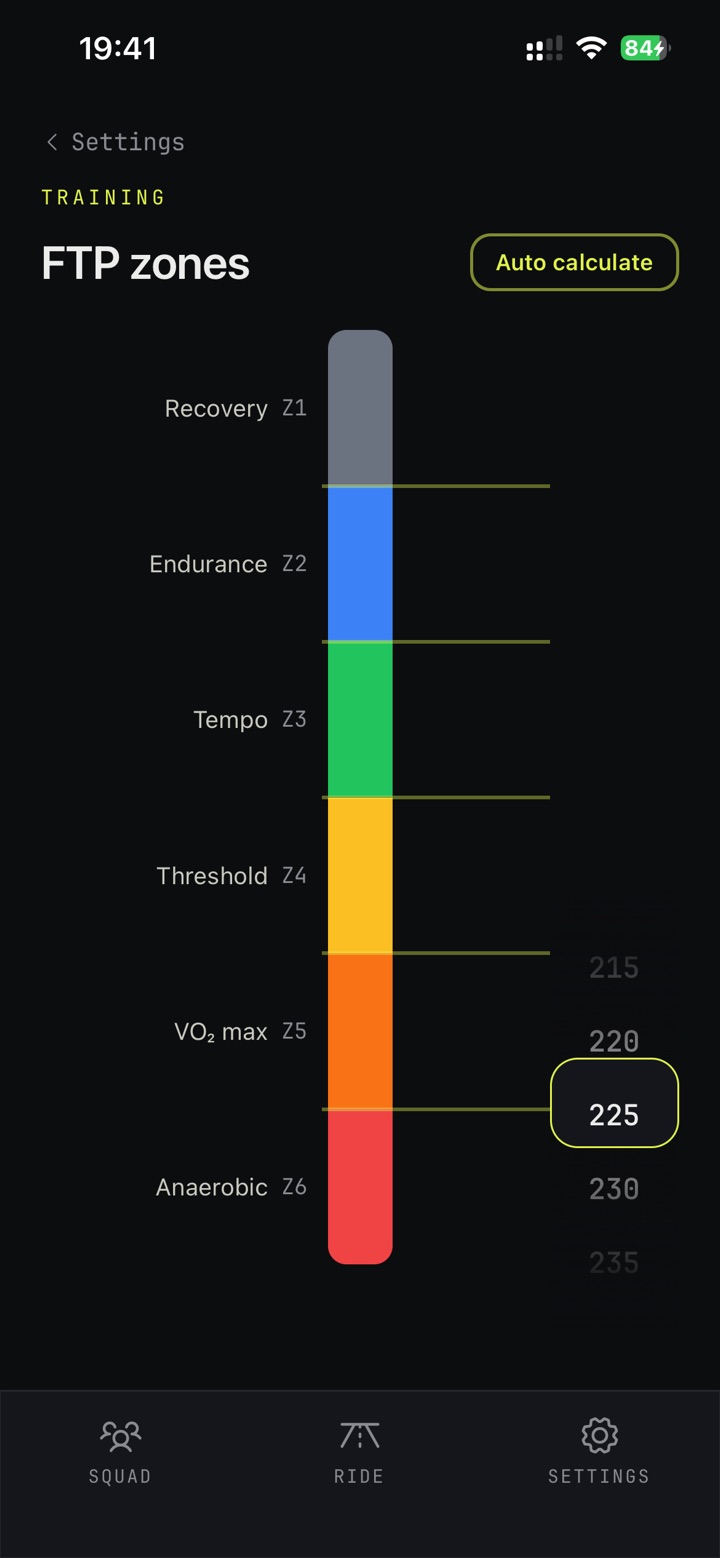
Adjust your zones
Six power zones calculated from your FTP in one tap — then fine-tune any boundary to match how you train.
Coach today, ride tomorrow
There's no separate coach app. Anyone can switch between athlete and coach between rides — lead the session from the team car, or ride it yourself.
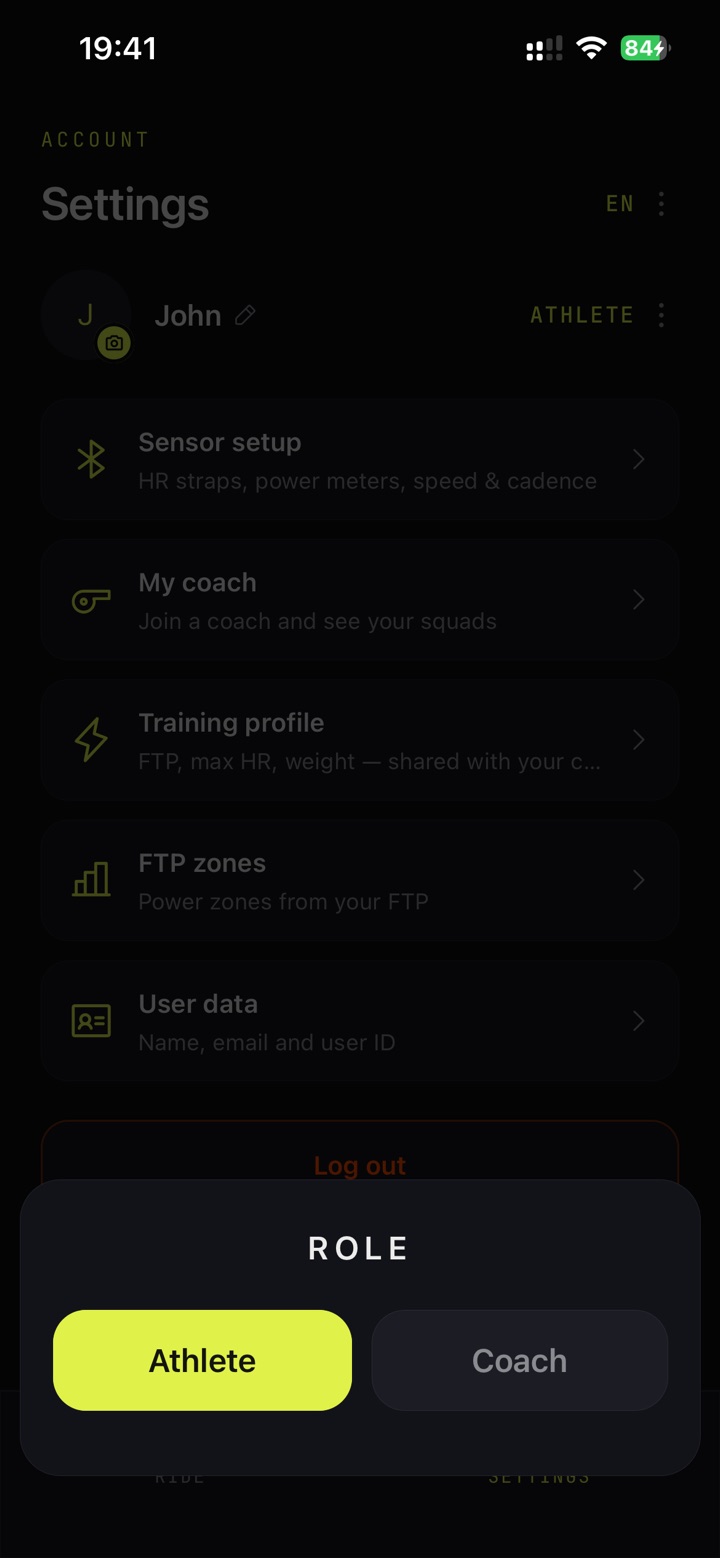
Switch roles
One tap in Settings. Your sensors, squads and profile stay with you either way.
Bring your squad onto one screen
Serpin turns a strung-out group ride into a session you can actually see and steer. Grab the TestFlight beta and get started with the sensors you already have.